Our Quotation Markup feature can be added to the PDF download on the fly!
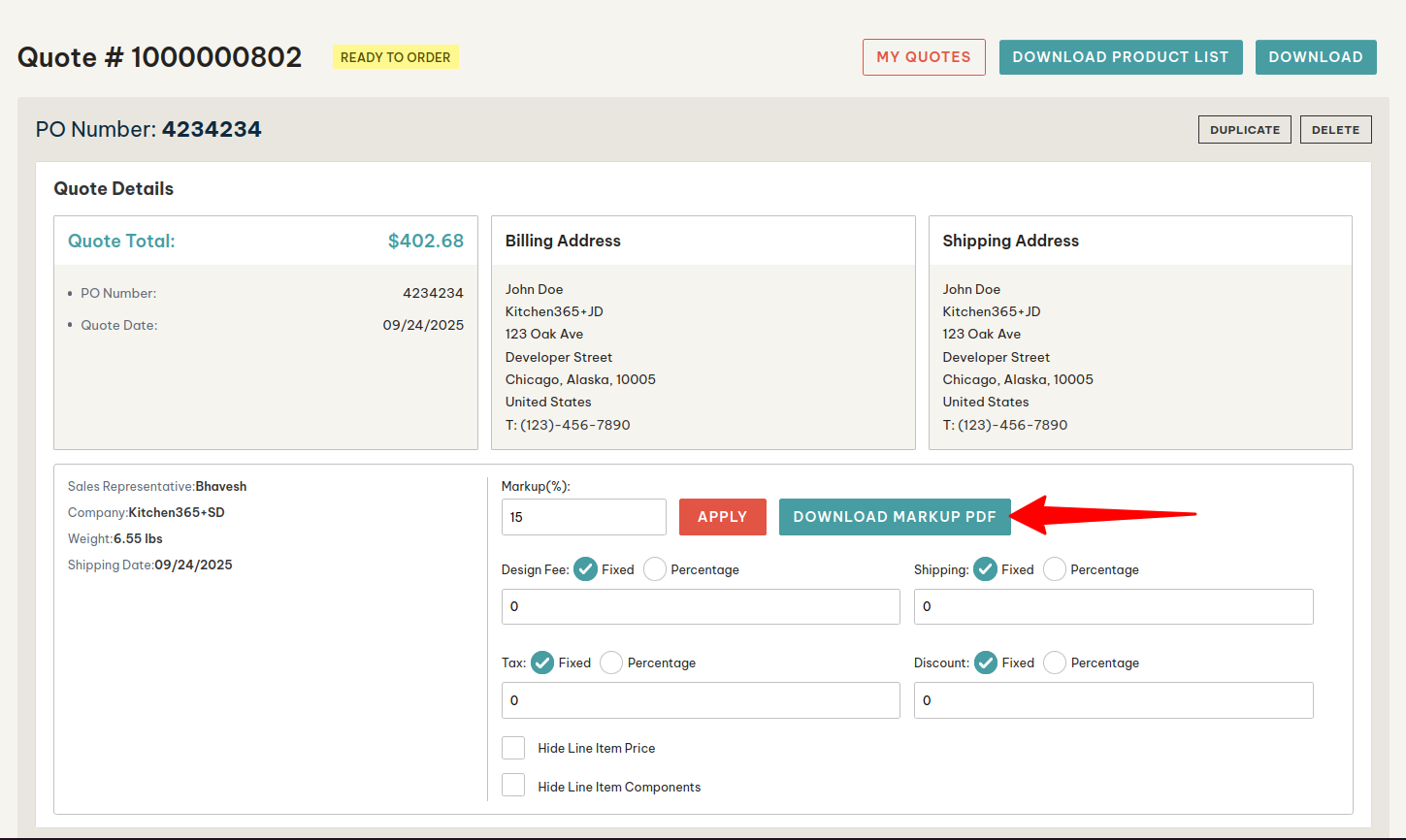
- Company Admin / Staff gets an option of entering Markup (%) on the Quote detail page. The company Admin/Staff can click on the “Download Markup PDF” button to open the menu for “Additional Fees”. Once they add the markup % number & hit the “Continue” button, the entered (%) will be added to the Subtotal of the cart value on the PDF.
- Users will have three options as below:
- Download Quote PDF – It will download the Quote with original prices.
- Download Product List – It will download the quote without prices, displays only quote details and quote items.
- Download Marked UP PDF - It will download the quote with marked up price and fees defined in the markup pdf generate section.
- From the markup section user can generate marked up pdf. It will have different fees to add in quote. If the user wants to add these values, he can enter the numbers in respective attributes & can download the PDF. The Markup PDF will include the Kitchen365 Client’s Company Logo and the End Customer’s Logo with the Marked-Up Fee.
- Design Fee (Markup percentage)
- Shipping Fee (Shipping amount to be displayed)
- Tax (Tax amount to be displayed)
- Discount (Discount amount to be displayed)
There is going to be an option under My Account > Company Account to upload the Company Logo. The company admin will be able to add the logo.
The logo upload is for the End customer who wants to display their company logo on the Marked-Up Quote. If a logo has not been added, it will default to the Kitchen365 Client’s company logo.
If it’s added, it will have two logos: the end customer’s company logo & the Kitchen365 Client company logo.
.png)